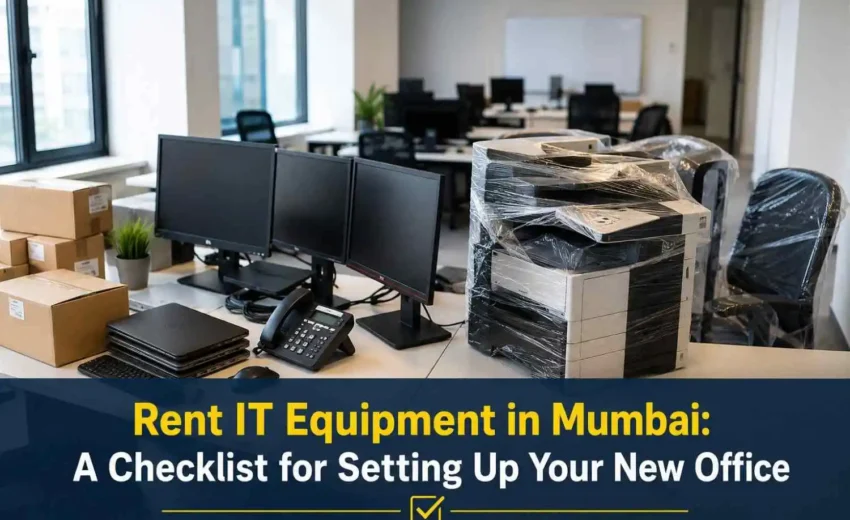
Setting up a new office involves more than arranging desks and internet connections. Employees need laptops, computers, servers, networking devices, printers, and other IT equipment to start working smoothly. For a new business, buying all these assets at once can also put pressure on the budget.
Renting equipment can be a practical option. It allows businesses to access the technology they need without making a large upfront investment. However, choosing equipment only based on price can lead to performance and support issues later.
Businesses planning to rent IT equipment in Mumbai should first understand their requirements, check out equipment specifications, and review the support offered by the rental provider. BK Infotech helps businesses plan practical IT setups based on their operational needs.
1. Start With a Clear List of IT Requirements
Before contacting a rental provider, list the equipment your office will need. This depends on the number of employees, their roles, software requirements, and the nature of your business.
Your initial checklist can include:
- Laptops and desktop computers
- Servers and storage systems
- Routers and network switches
- Wi-Fi access points
- Printers and scanners
- UPS and power backup
- Video conferencing equipment
- Security and networking devices
This prevents unnecessary rentals and helps you create a realistic technology budget.
2. Select Equipment Based on Employee Roles
Different employees need different configurations. A person handling emails and spreadsheets may not need the same system as a graphic designer, developer, or data analyst.
When you rent a laptop in Mumbai, check the processor, RAM, storage, operating system, display, and connectivity options. Businesses should also confirm that the device can run the applications required for the employee’s role.
If desktops are more suitable, computer on rent in Mumbai can be considered for teams that work from fixed locations. Check the system configuration and physical condition before accepting the equipment.
The aim should be to match the equipment to the actual work rather than choosing the most expensive configuration.
3. Plan Your Office Network Before Installation
A reliable network is essential for a modern office. Employees may use cloud applications, video meetings, shared drives, business software, and online communication throughout the day.
Your network plan should cover:
- Internet connectivity
- Routers and switches
- Wi-Fi coverage
- Structured cabling
- Firewall protection
- Guest network access
- Network monitoring
- Backup connectivity, where required
An IT infrastructure solution in Mumbai can help businesses integrate these different requirements. This approach can also make future expansion easier.
Before installation, consider the expected number of users and devices. A network designed for a small team may not perform well when the business grows.
4. Decide if Your Office Needs a Server
Not every business needs an in-house server. Cloud services may be enough for some companies. Others may need servers for applications, databases, file storage, backups, or internal systems.
If you plan to rent a server in Mumbai, first identify what the server will handle. Consider its processor, RAM, storage, backup requirements, security, and expected user load.
Also ask the provider:
- Who will monitor the server?
- What happens during a hardware failure?
- How often will backups be taken?
- Is technical support included?
- Can the server be upgraded later?
This helps you avoid paying for a capacity that your business does not need.
5. Compare Rental Providers Carefully
The lowest rental price does not always mean the best deal. When choosing an IT equipment rental company in Mumbai, look at the complete service rather than only the monthly rental.
Check these points before signing:
| Factor | What to Check |
| Equipment | Brand, model, and specifications |
| Rental Period | Minimum and maximum rental term |
| Support | Response time and available support channels |
| Replacement | Process for faulty or damaged equipment |
| Delivery | Delivery and installation charges |
| Security Deposit | Amount and refund terms |
| Return | Pickup process and equipment condition rules |
| Upgrades | Options to change or upgrade equipment |
A reliable IT equipment rental company in Mumbai should clearly explain these terms before the agreement begins.
6. Check Maintenance and Technical Support
IT equipment problems can affect productivity. A faulty laptop can stop an employee from working, while a network issue can affect an entire office.
Before you rent IT equipment in Mumbai, ask about maintenance and replacement support. Find out how quickly the provider responds to technical issues and whether on-site assistance is available.
Businesses without a large internal IT team may also benefit from IT infrastructure managed services in Mumbai. Such services can include monitoring, maintenance, troubleshooting, and infrastructure support.
The exact scope of services should be confirmed before signing a managed services agreement.
7. Keep Security in the Setup from Day One
Security should not be treated as an afterthought. Rented devices may access company accounts, customer information, business applications, and internal files.
Before employees receive their systems, make sure:
- Operating systems are updated
- Required security software is installed
- User accounts are configured
- Access permissions are defined
- Wi-Fi networks are secured
- Important data is backed up
- Company information is removed before equipment is returned
Businesses should also have clear rules for passwords, software installation, external storage, and access to sensitive information.
8. Plan for Future Growth
A new office may have 20 employees today and 50 a year later. Your IT setup should be able to grow with the business.
Flexible rental arrangements can make this easier. A business may initially rent a laptop in Mumbai for new employees and add more systems as the team expands.
Similarly, a computer on rent in Mumbai can be useful for temporary teams, project-based employees, or businesses waiting for permanent equipment.
Ask the provider if you can add, replace, or upgrade equipment during the rental period. Standardizing device configurations can also simplify maintenance and employee support.
9. Complete an IT Check Before Employees Arrive
Do not wait until the first working day to test the setup. Every device and connection should be checked before employees start using them.
The final checklist should include:
- Equipment received as agreed
- Serial numbers recorded
- Devices tested
- Required software installed
- Internet connection tested
- Wi-Fi coverage checked
- Printers connected
- Server configured, if required
- Backup systems tested
- Security controls activated
- Support contact shared with employees
If you rent a server in Mumbai, test access, storage, backups, and recovery procedures before the office becomes dependent on it.
Build an Office IT Setup That Can Grow
A well-planned IT setup can make the transition into a new office much smoother. Renting can help businesses access essential equipment while keeping their initial technology investment under control.
The right approach starts with understanding employee needs. From laptops and computers to servers and networking systems, every component should support the way the business operates.
Businesses that rent IT equipment in Mumbai should also consider maintenance, replacement, security, and future expansion. Choosing the right IT equipment rental company in Mumbai can make these areas easier to manage.
For broader requirements, an IT infrastructure solution in Mumbai can consolidate hardware, networking, security, and support into a single, planned setup. Businesses that need ongoing assistance can also explore IT infrastructure managed services in Mumbai.
BK Infotech provides IT services to help businesses manage their technology needs with practical, reliable solutions. Companies can discuss their equipment rental and infrastructure needs with BK Infotech before setting up their new office.
Contact BK Infotech to plan your office IT setup today.